 ProductReveal
Extract.FAST
Extract images, text, audio & metadata in bulk. One ZIP download.
About this product
Extract.FAST is a browser-based workspace for pulling useful content out of documents and media files in bulk. Instead of opening files one by one and manually saving every asset, you can drop a batch into the browser, choose the extraction jobs you need, and download an organized ZIP when processing is complete. It is designed for practical work: preparing documents, collecting media assets, reviewing archives, and turning mixed files into usable outputs quickly.
What can you extract?
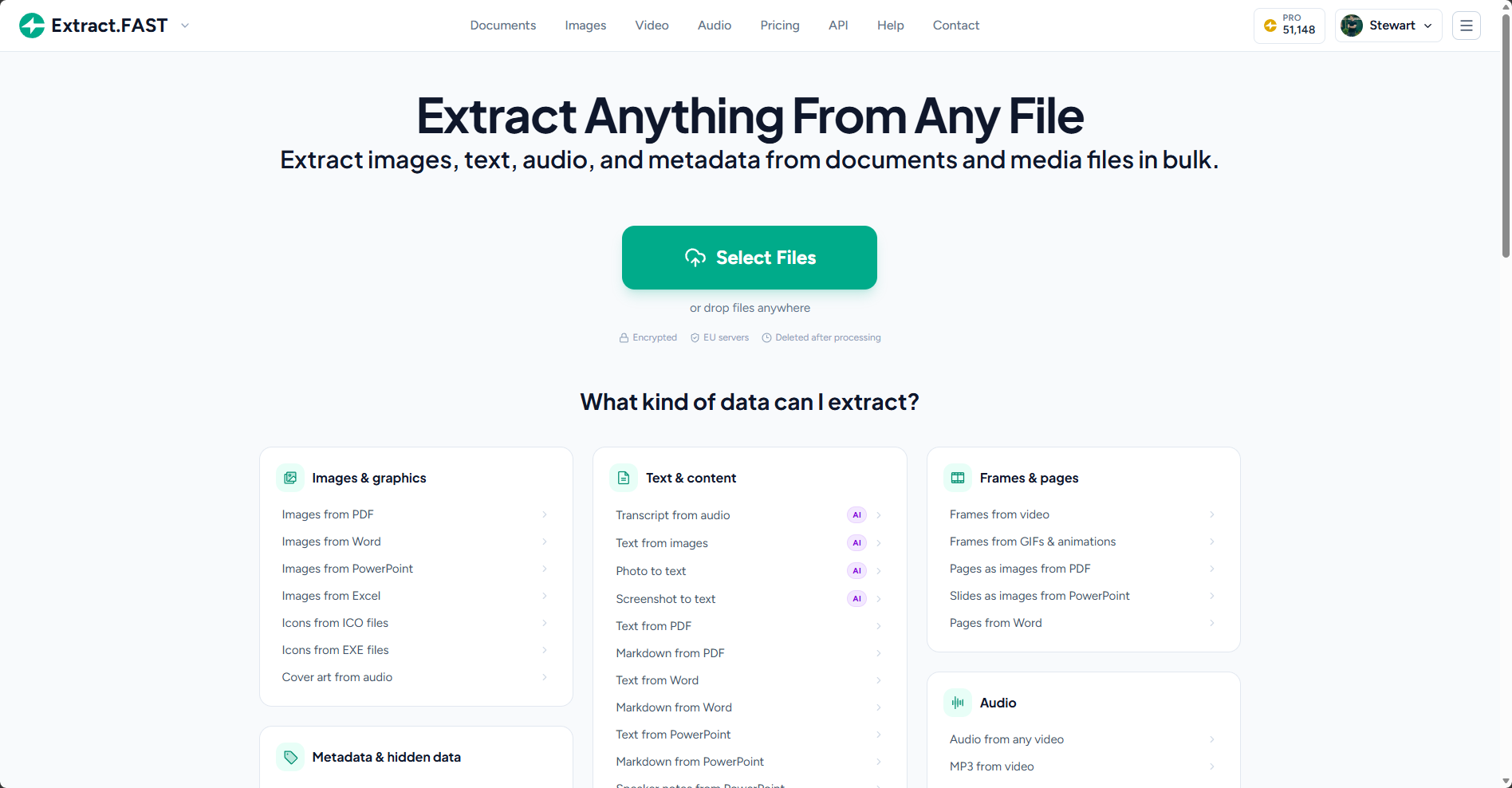
Extract.FAST supports a wide range of common formats and extraction tasks. From PDFs and Office documents, you can extract embedded images, text, Markdown, pages, notes, forms, fonts, and other attached files. OCR and text extraction help when important content is locked inside scans or images. For images, the workspace can expose metadata such as EXIF, GPS information, colour palettes, and QR codes. Animated files can be processed for frames and related metadata.
Media workflows are covered too. Audio files can yield cover art, chapters, metadata, and transcripts, while video files can produce audio tracks, frames, subtitles, and metadata. GIFs and other animations can be turned into frame sets for review or reuse. The result is a more organized way to inspect what is inside a file without installing a separate desktop utility for every format.
Built for batches
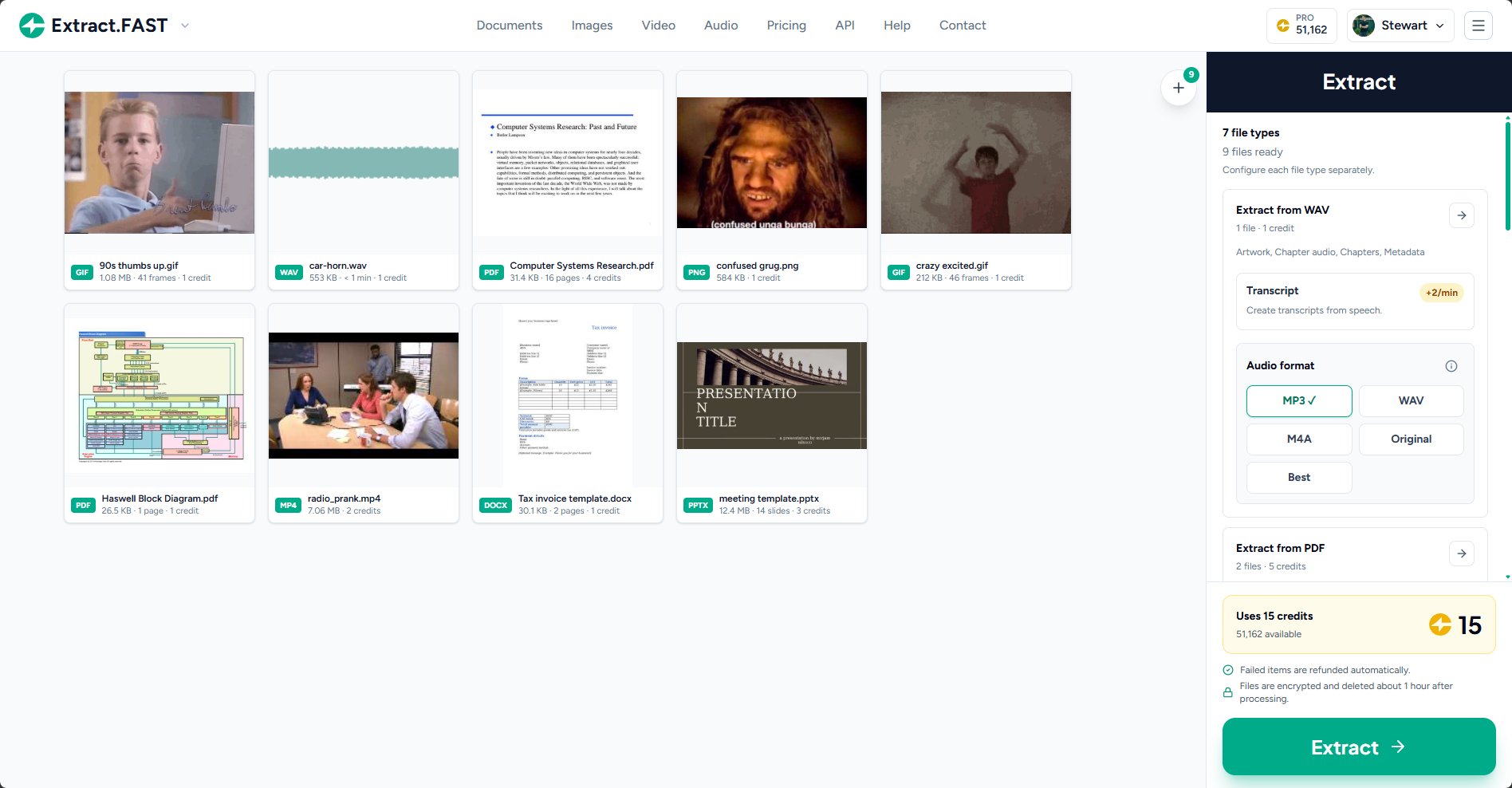
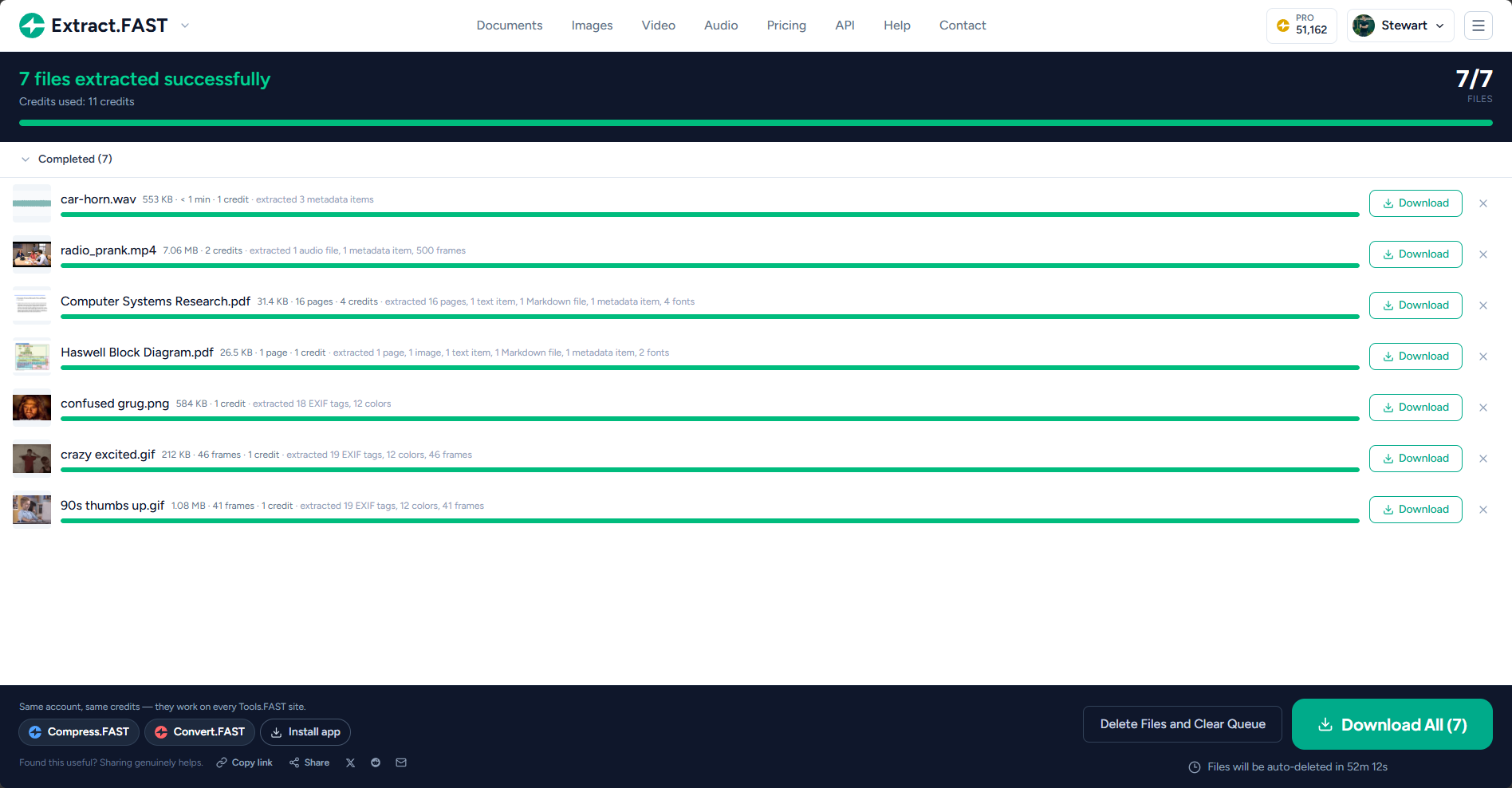
Extract.FAST is intended for real batches rather than one-file-at-a-time workflows. You can upload multiple files, see progress for each item, configure extraction options by file type, and download the finished results together. Pro tasks support up to 1,000 files, with a single ZIP download that keeps the results organized. Free daily credits are available so you can try the workflow before deciding whether you need more capacity.
Privacy is part of the design. Processing runs on EU servers with TLS 1.3 in transit and AES-256 encryption at rest. Files are automatically deleted about an hour after processing, and standard uploads are not used to train AI models. That makes the service useful for people who need a temporary processing workspace without keeping another copy of their files around indefinitely.
Who is it for?
Extract.FAST is useful for designers collecting images from reference PDFs, researchers turning reports into text and Markdown, teams reviewing Office files, developers inspecting archives and embedded assets, and anyone who needs frames or audio from media. It is also helpful when metadata matters: EXIF, GPS, QR codes, colour information, and document structure can all be easier to work with after extraction.
The service is web-based, so there is no installation step. Visit extract.fast, upload a batch, select the outputs, and download the organized results when the task finishes. Extract.FAST is part of the Tools.FAST network, so the same account and shared credits can also work across Convert.FAST and Compress.FAST.
For teams building a repeatable content workflow, the value is in the combination of breadth and speed. A single workspace can turn a mixed batch into clean, named outputs that are easier to share, archive, or continue editing. The result is less manual copying and a clearer path from source files to useful project materials.
Extract.FAST is designed for practical day-to-day work rather than a one-off conversion. Teams can collect assets from a mixed folder, inspect the available extraction options, and let the service organize results by source file and output type. This is useful for document migration, research, accessibility, content operations, compliance review, media preparation, and developer workflows where manual copying would be slow and inconsistent. The browser workflow keeps the process simple: add a batch, choose the outputs, watch progress, and download the finished package when processing is complete.
Key features
- Bulk extraction from PDFs, Office files, archives, images, audio, video, and animations
- Images, text, Markdown, OCR, metadata, EXIF, GPS, QR codes, frames, audio, and transcripts
- Batch processing with per-file progress and one organized ZIP download
- EU processing with TLS 1.3, AES-256 at rest, and automatic file deletion
- No install required, with free daily credits and support for up to 1,000 files on Pro
Pros
- Bulk workflows
- Privacy-first processing
- No installation required
Cons
- Some advanced extraction options use credits
- AI transcript features are optional paid add-ons
Gallery
Reviews
Reviews are moderated before appearing publicly.
No reviews yet — be the first to share your experience.