 ProductReveal
Stop Redrawing Plans | Bluebeam Low Voltage Toolset
Create CCTV and access control plans faster with 96 ready-to-use Bluebeam tools.
About this product
Stop Redrawing Plans — Bluebeam Revu Low Voltage Toolset
Create CCTV, Access Control and Low-Voltage Plans Faster
Preparing security and low-voltage drawings often involves repeating the same tasks: inserting camera symbols, marking access control devices, organizing network equipment and updating project documentation.
For contractors and technical professionals, these repetitive steps can make documentation more time-consuming than necessary.
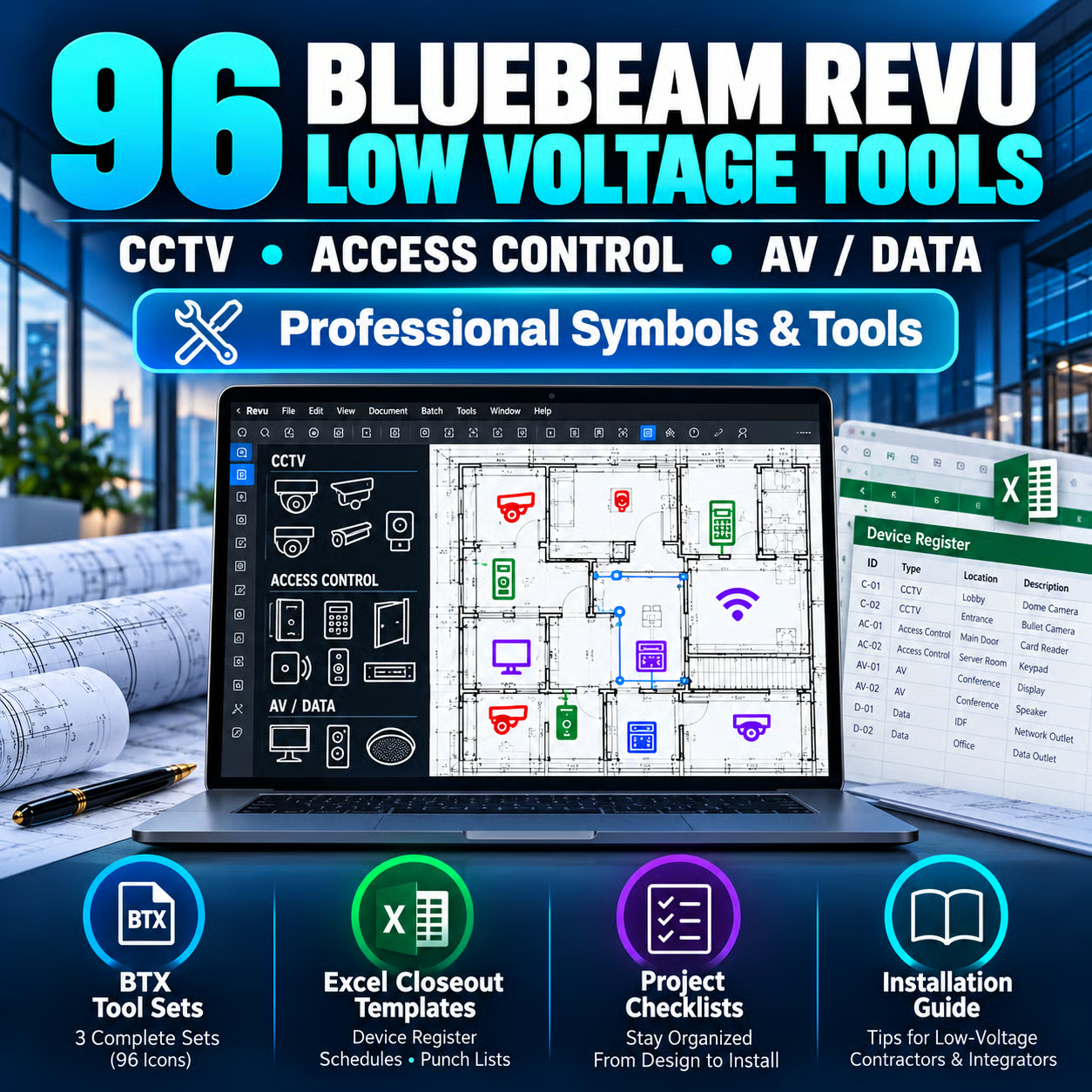
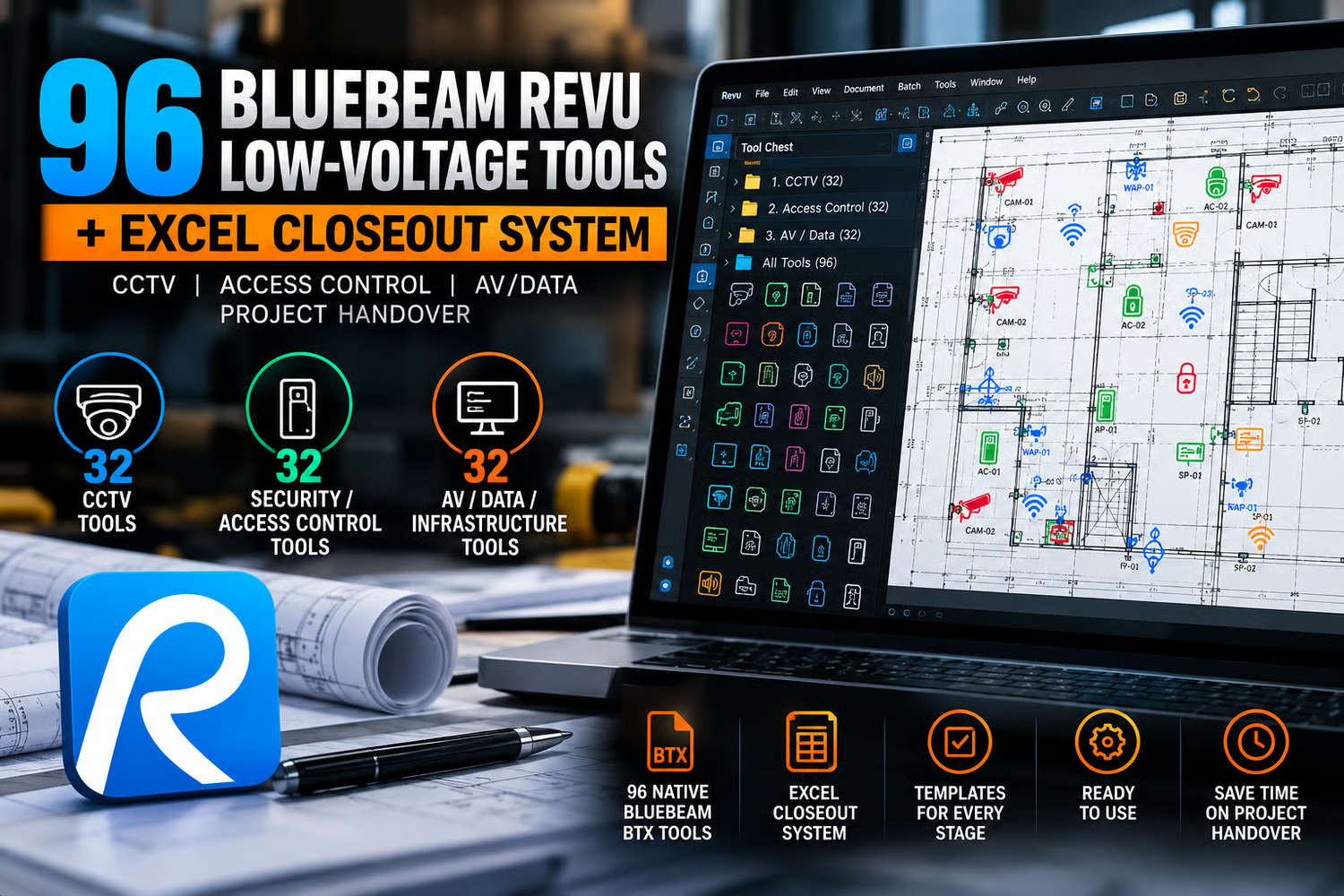
NEXORA Bluebeam Revu Low Voltage Toolset offers a practical solution: 96 reusable markup tools combined with an Excel project closeout system.
Instead of creating every symbol from scratch, users can work with a structured library designed for CCTV, access control, AV and data/network documentation.
What Is Included?
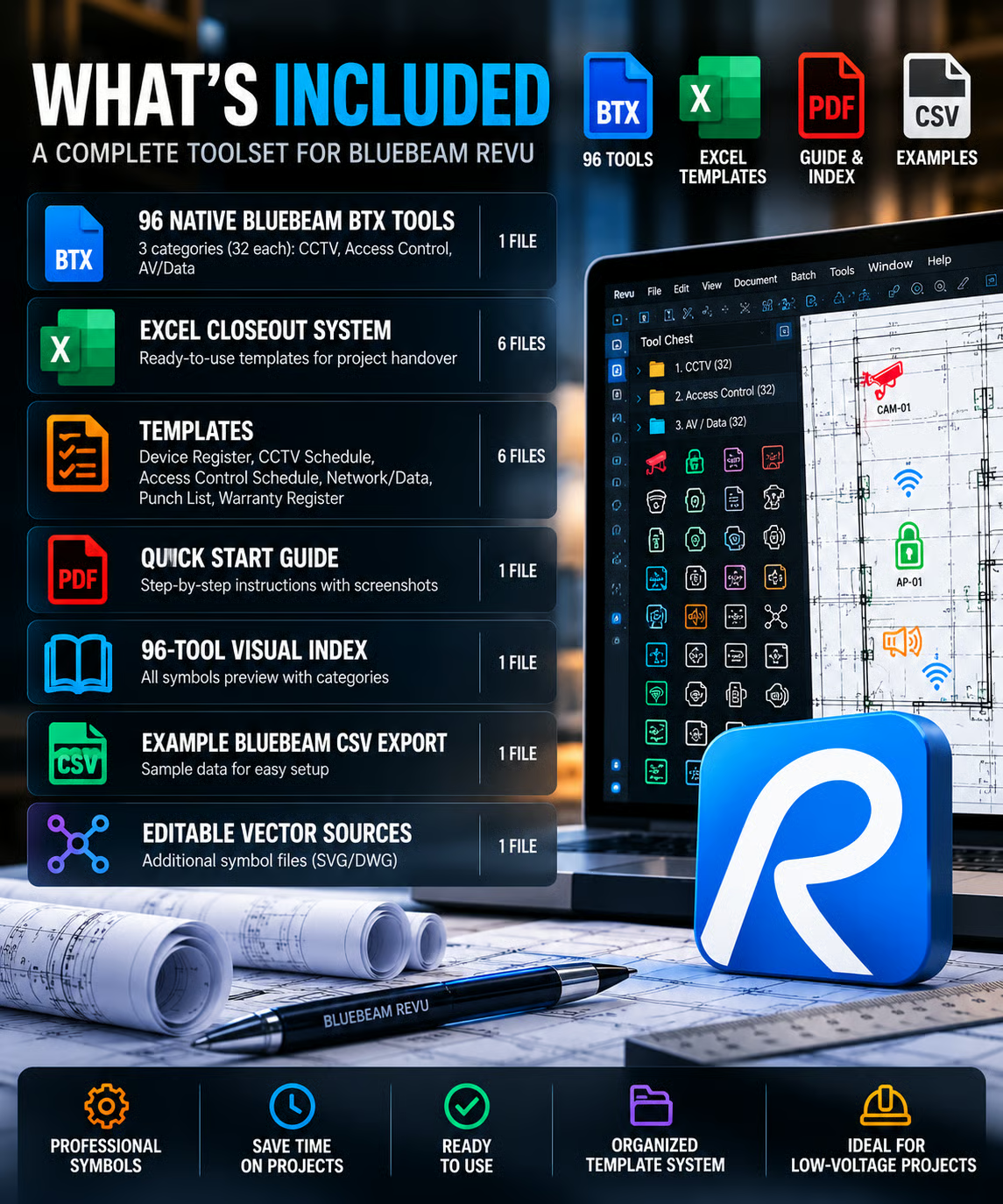
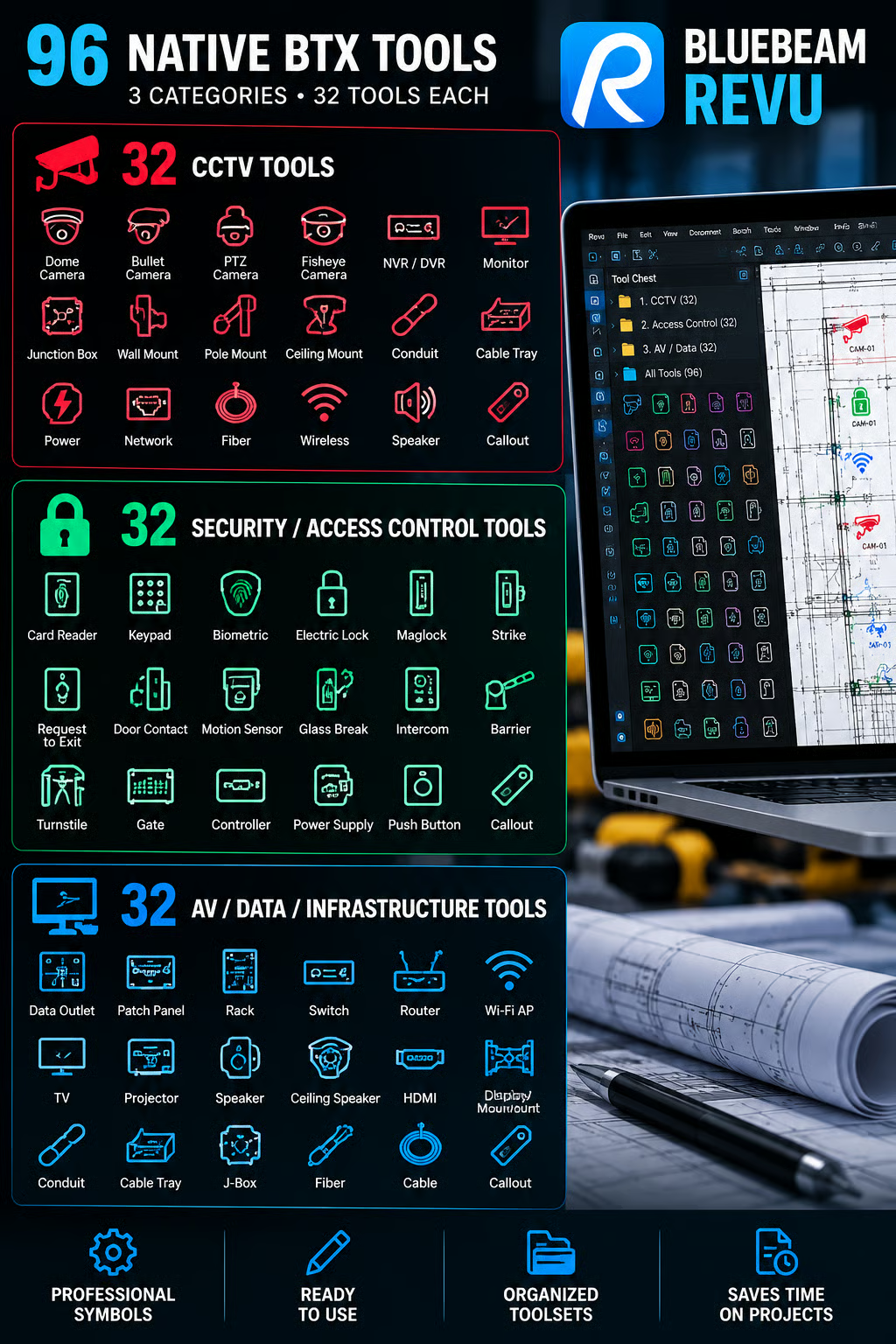
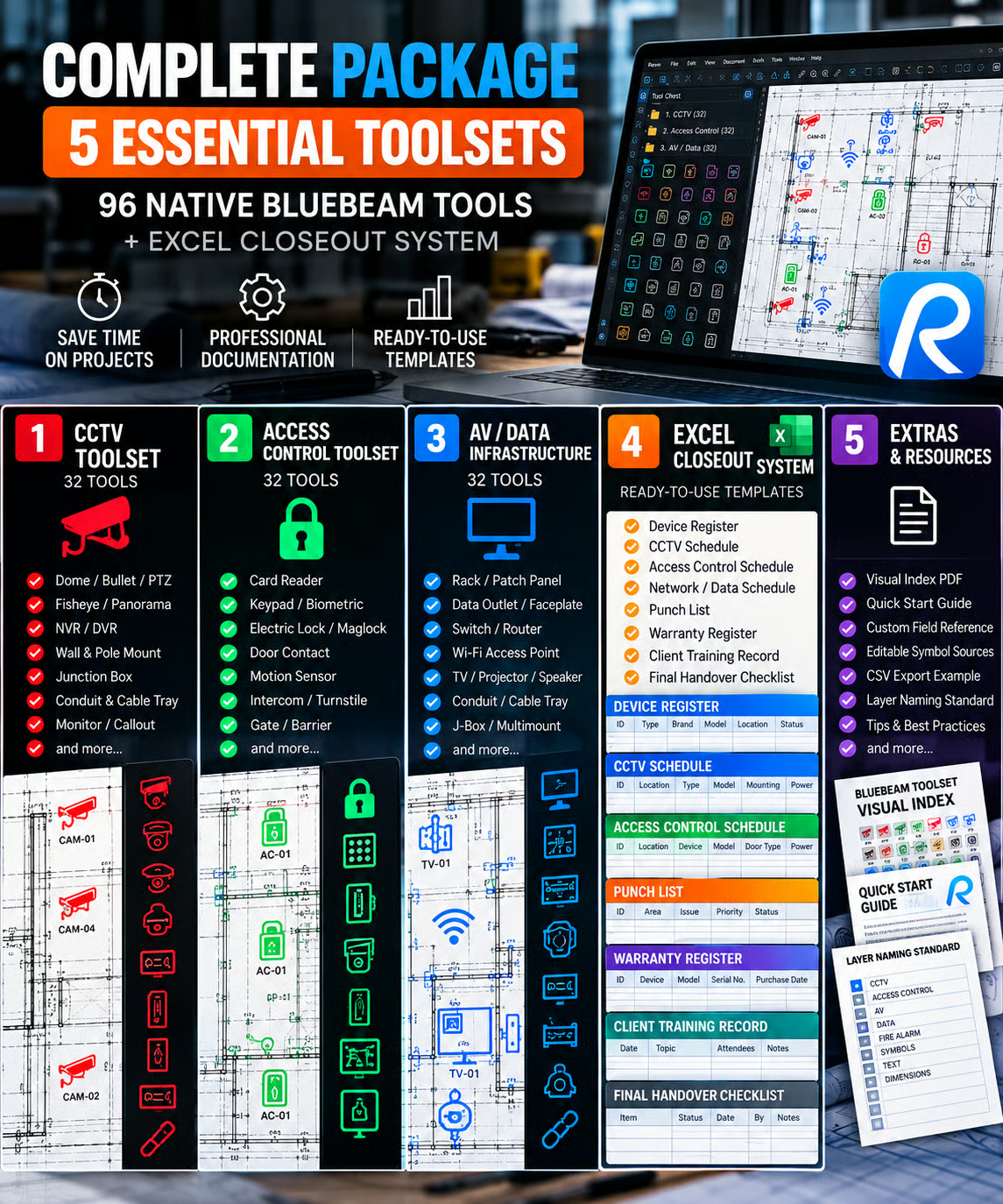
The digital toolkit contains 96 Bluebeam Revu tools, divided into three categories:
32 CCTV Tools
Reusable markup elements for security camera and CCTV project documentation. These help users identify equipment and organize device information on technical PDF plans.
32 Access Control Tools
Symbols and markup elements for access control documentation, supporting clearer representation of equipment and system layouts.
32 AV, Data and Network Tools
A dedicated group of reusable tools for audiovisual, network and structured low-voltage documentation.
All three categories are intended to support consistent markup workflows in Bluebeam Revu.
More Than a Symbol Library
One of the main advantages of this toolkit is the additional Excel Closeout System.
Technical documentation doesn't end when the drawing is finished. Contractors often need to record installed equipment, organize device schedules, document outstanding work and prepare handover information.
The included Excel templates support these activities through structured records such as:
Device Register
CCTV Schedule
Access Control Schedule
Network and Data Schedule
Punch List
Project Closeout Information
This makes the toolkit useful across multiple stages of a project, not just during initial drawing preparation.
How Does It Work?
The Bluebeam tools are supplied in BTX format for use with Bluebeam Revu.
After downloading the digital package, users can import the compatible toolsets into Bluebeam's Tool Chest.
From there, reusable markup elements can be selected and placed on PDF project drawings.
The workflow is straightforward:
Open your technical drawing in Bluebeam Revu.
Import the supplied BTX toolsets.
Select suitable CCTV, access control or network symbols.
Place and organize the markups on your drawing.
Review the technical information and update the project documentation.
Use the Excel Closeout System to organize equipment records and handover information.
The exact workflow depends on project requirements, software compatibility and the user's preferred drawing conventions.
Who Is This Toolkit For?
The NEXORA Low Voltage Toolset is designed for professionals who regularly work with technical documentation.
Potential users include CCTV installers, low-voltage contractors, security system integrators, access control technicians, audiovisual contractors, network installers, construction project managers and documentation teams.
It can also be useful for professionals reviewing plans, preparing installation markups or organizing as-built documentation.
Why Choose Reusable Tools?
Creating a symbol once may seem insignificant. However, technical projects often involve multiple drawings, revisions and equipment schedules.
Having reusable markups available can reduce the need to recreate common elements and help maintain a more consistent visual approach.
The benefit is especially relevant for professionals who document similar system types across multiple projects.
Rather than replacing technical expertise, reusable tools help organize repetitive parts of the documentation process.
Important Compatibility Information
Bluebeam Revu is required to use the BTX toolsets. Compatible spreadsheet software is needed for the Excel closeout files.
Bluebeam Revu itself is not included with the purchase.
These tools support visual markup and documentation. They do not automatically design CCTV coverage, calculate network capacity, verify equipment compliance or replace professional engineering decisions.
Users must independently verify drawings, technical specifications and applicable project requirements.
Explore the Toolkit
If your projects regularly involve CCTV, access control, AV or data/network documentation, NEXORA's 96-tool library may provide a useful starting point for a more organized workflow.
View the Bluebeam Low Voltage Toolset:
Explore more NEXORA products:
Etsy: https://www.etsy.com/shop/nexoratoolworks
Payhip: https://payhip.com/nexoraworktools
NEXORA Digital Tools is an independent digital-product creator. This toolkit is not affiliated with, sponsored by or endorsed by Bluebeam, Inc.
Key features
- 96 reusable Bluebeam Revu tools for low-voltage documentation
- 32 CCTV, 32 Access Control and 32 AV/Data/Network tools
- BTX toolsets designed for Bluebeam Revu Tool Chest
- Excel project closeout system with device schedules and punch lists
- Digital download for drawing markups and project handover workflows
Pros
- 96 reusable Bluebeam tools; organized CCTV, access control and low-voltage symbols; Excel closeout templates included; instant digital download.
Cons
- Requires compatible Bluebeam Revu software; not a standalone design application; users must verify technical drawings and project requirements.
Gallery
Reviews
Reviews are moderated before appearing publicly.
No reviews yet — be the first to share your experience.