 ProductReveal
Introduction
Let's be honest — the AI tools market is overwhelming right now.
There are hundreds of options out there, and almost every one of them has a free tier that sounds amazing until you actually start using it. Then come the upgrade prompts, the usage caps, the blurry output limits, and eventually the question you've been avoiding: Should I just pay for this?
I've spent the last few years reviewing AI software for Product Reveal, testing everything from free browser extensions to enterprise-grade AI platforms that cost hundreds of dollars per month. And the truth? Neither free nor paid AI tools are universally better. It completely depends on what you're doing, how often you're doing it, and whether the tool is actually moving the needle for your work.
This guide cuts through the noise. I'll give you a real, experience-based comparison of free vs paid AI tools — not a sponsored pitch, not generic advice, but an honest breakdown that helps you make the right decision for your budget and goals.
1. Free vs Paid AI Tools at a Glance
The AI software landscape has split into two pretty distinct camps. You have the free tier designed to get you hooked, and the paid tier designed to make you stay.
Free AI tools are genuinely useful for casual users, beginners, students, and anyone exploring what AI can do. Many of them are surprisingly capable. But they almost always come with restrictions — output limits, slower processing, fewer integrations, or watermarks on generated content.
Paid AI tools remove those restrictions and typically offer better models, priority processing, more customization, team collaboration features, and actual customer support when things break.
The core question isn't which category is better. It's whether the limitations of the free version are actually limiting you — and whether what you're paying for translates into measurable value.
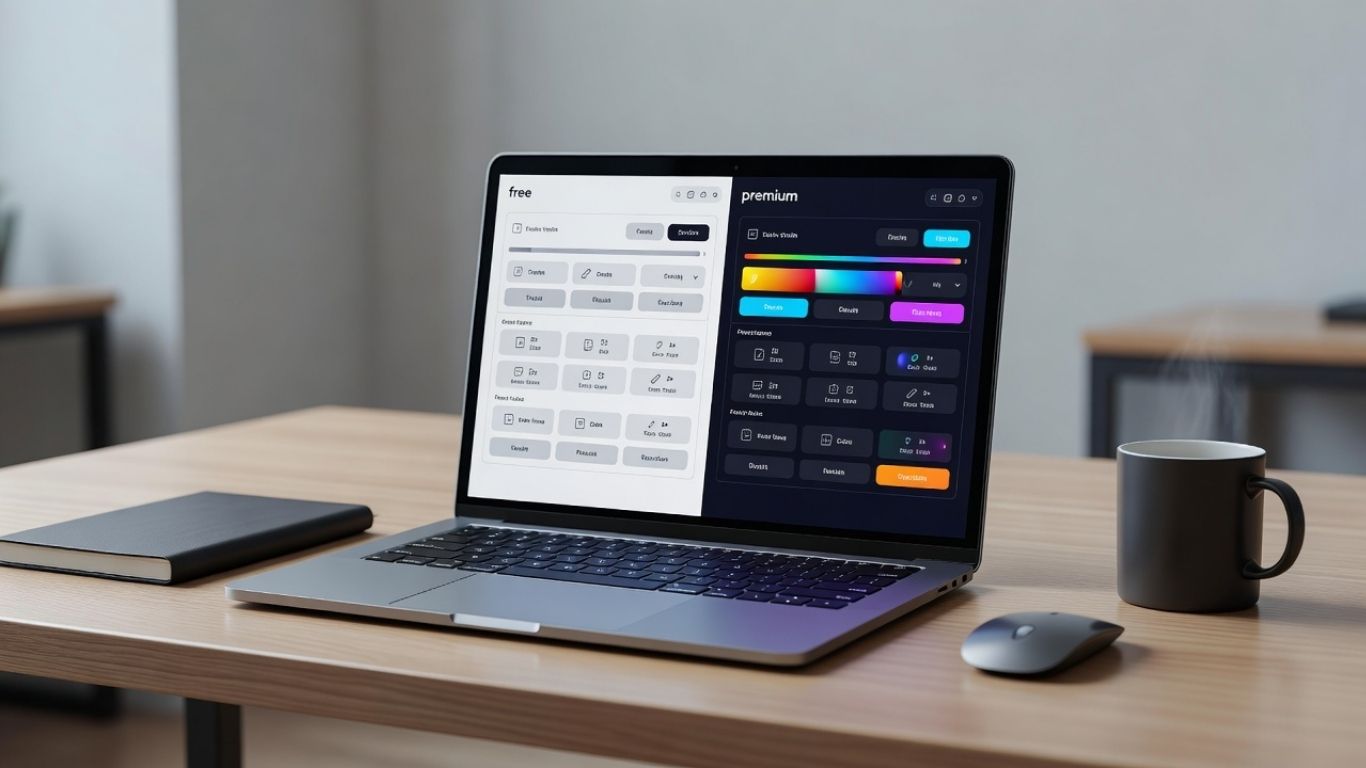
2. Comparison Table: Free vs Paid AI Tools
Feature | Free AI Tools | Paid AI Tools |
|---|---|---|
Cost | $0 | $10–$200+/month |
Model Quality | Standard/older models | Latest, most powerful models |
Usage Limits | Daily/monthly caps | Higher or unlimited usage |
Speed | Slower during peak hours | Priority processing |
Integrations | Limited | API access, third-party apps |
Customization | Minimal | Advanced settings, fine-tuning |
Output Quality | Good for general tasks | Consistently higher quality |
Customer Support | Community forums only | Email, chat, or dedicated support |
Privacy/Security | Basic, data may be used for training | Enhanced privacy controls |
Team Features | Rarely included | Collaboration, admin controls |
Watermarks | Often on generated content | Usually removed |
Best For | Beginners, light users | Professionals, businesses |
Storage | Very limited | Significantly more |
Updates | Standard | Early access to new features |
3. Benefits of Free AI Tools
Free AI tools have come a long way. Some of them are genuinely impressive for no-cost software.
Zero financial risk. You can experiment freely without spending a dollar. This is huge if you're not sure whether a particular tool fits your workflow.
Great for learning. If you're just getting started with AI, free tools let you understand capabilities, limitations, and use cases before you invest.
Surprisingly capable for everyday tasks. Tools like ChatGPT's free version, Google's Gemini, and Canva's free AI features can handle a lot of daily tasks — drafting emails, summarizing documents, generating simple images, and more.
Wide variety available. There are free options in almost every AI category: writing assistants, image generators, code helpers, video editors, and productivity tools.
No commitment. You can switch between tools easily. There's no subscription tying you to a platform that stopped working for you.
4. Limitations of Free AI Tools
Here's where I'll be straight with you, because most reviews gloss over this part.
Usage caps are real and frustrating. Most free tools limit how many requests, words, images, or minutes you can generate per day or month. Hit the cap and you're either waiting or looking for an alternative.
You're often using older models. Free tiers frequently run on previous-generation AI models. ChatGPT's free plan, for instance, doesn't always give you access to the most current model. That gap in capability is noticeable for complex tasks.
Speed suffers during peak hours. When millions of people are using a platform, free users get deprioritized. That lag adds up when you're trying to get work done.
Privacy is a real concern. Many free AI platforms use your conversations and inputs to train their models. If you're working with sensitive business information, this is a significant issue.
Limited integrations. Most free plans don't offer API access or deep integrations with other tools, which limits how much you can automate or scale.
Watermarks and branding. AI image generators and video tools often stamp their logo on your output unless you're on a paid plan.
5. Benefits of Paid AI Tools
When you pay for an AI tool, you're not just paying for more features. You're paying for reliability, consistency, and time.
Access to the best models. Paid plans almost always include the latest, most capable AI models. For tasks that require nuance, accuracy, or creativity, this matters more than people realize.
Higher (or no) usage limits. For professionals and businesses, running into a usage cap in the middle of a project is genuinely disruptive. Paid plans eliminate or significantly raise these limits.
Better output consistency. Not just better on average — more consistent. Free tools can be hit-or-miss. Paid tools tend to deliver more predictable, higher-quality results.
Real customer support. When something breaks or behaves unexpectedly, having an actual support channel matters. Community forums only go so far.
Team collaboration features. Most professional AI tools on paid plans offer shared workspaces, admin controls, and team billing — essential for any business use case.
Stronger privacy and data controls. Paid users typically get options to opt out of data training, handle sensitive data more securely, and work within compliance-friendly environments.
API access. This opens the door to custom integrations, automation workflows, and building your own AI-powered tools.

6. When Free AI Tools Are Enough
There are plenty of situations where the free version is genuinely all you need.
You're a student or hobbyist. Exploring AI for personal projects, learning, or creative experiments? Free tools deliver excellent value at zero cost.
Your usage is low volume. If you're using an AI writing assistant a few times a week to clean up emails or draft short content, you'll rarely hit the limits of a free plan.
You're evaluating before committing. Always start with the free version to see if a tool fits your workflow before pulling out your credit card.
Your tasks are standard and repetitive. Summarizing content, generating simple images, translating text, or answering basic questions — these don't typically require premium model power.
You have a tight budget. This sounds obvious, but it's worth saying. If the economics don't make sense, the free version serving 80% of your needs is always better than a paid plan that strains your finances.
7. When You Should Upgrade to Paid AI Tools
The upgrade decision usually comes down to one of three things: volume, quality, or risk.
Your work depends on it. If AI tools are central to how you earn income or run a business, the cost of downtime or poor output quality exceeds the subscription fee many times over.
You're hitting limits constantly. Running out of usage credits halfway through the workday is a clear signal.
Quality differences affect your deliverables. If you're producing content, code, designs, or analyses that go to clients or customers, the quality gap between free and paid models becomes very visible.
You handle sensitive data. Working with client information, legal documents, financial data, or health-related content demands stronger privacy guarantees than most free plans offer.
You need integrations and automation. Building workflows that connect your AI tool with other software requires API access, which is almost always a paid feature.
You're managing a team. Collaboration features, admin controls, and centralized billing aren't available on free plans.
8. Cost vs Value Analysis
Let's look at this mathematically for a moment.
If a paid AI writing tool costs $20/month and saves you three hours of work per month, and your time is worth $20/hour, you've already broken even. If it saves you more — which it likely will if you're using it regularly — you're net positive.
The same logic applies to AI design tools, code assistants, and research tools. The question isn't whether $20 or $50 or $100 per month is expensive in isolation. It's whether the output and time savings justify that number.
Where people go wrong is paying for tools they use inconsistently. A $50/month AI subscription that you log into twice a week is almost always poor value. A $50/month tool you use every day that improves your work quality or saves an hour daily? That's a no-brainer.
The value sweet spot: Look for paid AI tools in the $10–$30/month range that cover your primary use case well. Avoid paying for bundled features you'll never use just because the plan is marketed as "pro."
9. Popular Free AI Tools Worth Using
These are tools I've personally tested and can recommend at the free tier:
ChatGPT (Free Plan) — Still one of the most capable free AI tools available. Good for writing, brainstorming, summarizing, and general Q&A. Limitations kick in with usage caps and older model access.
Google Gemini (Free) — Strong performance for research, document analysis, and integration with Google Workspace. The free version is genuinely competitive.
Canva AI (Free) — Excellent for social media graphics, presentations, and basic image generation. The free tier is more generous than most design tools.
Bing Image Creator — Powered by DALL-E technology, completely free for image generation. Great output quality for zero cost.
Notion AI (Limited Free) — Useful for note-taking, summarization, and content drafting within Notion. Limited monthly AI responses on the free plan.
GitHub Copilot (Free for Students/Open Source) — One of the best AI coding assistants available, and free for eligible users.
Perplexity AI (Free) — A solid research and search tool that cites its sources. Better than generic search for nuanced questions.
10. Popular Paid AI Tools Worth the Investment
These tools have earned their price tags based on consistent performance and real-world utility:
ChatGPT Plus ($20/month) — Access to GPT-4o, faster responses, image generation, voice mode, and advanced data analysis. For most professionals, this is the best single AI subscription value available.
Claude Pro ($20/month, Anthropic) — Excellent for long-form writing, nuanced analysis, and handling very large documents. Claude's writing output often feels more natural than competing models.
Midjourney ($10–$60/month) — Still the top choice for high-quality AI image generation. The gap between Midjourney and free image tools is genuinely significant for creative professionals.
Jasper AI ($49/month) — Built for marketing teams. Strong templates, brand voice settings, and team collaboration make it worthwhile for content-heavy businesses.
Grammarly Premium ($12/month) — Goes well beyond spell-checking. Tone adjustment, clarity improvements, and plagiarism detection add real value for anyone writing professionally.
Descript ($24/month) — For video and podcast creators, Descript's AI-powered editing is genuinely revolutionary. Transcription-based editing alone saves hours per project.
Copy.ai Pro ($49/month) — Strong for ecommerce, sales copy, and marketing automation. The workflow builder is underrated.

11. Real-World Use Cases
Freelance writer: A free AI writing assistant is perfectly fine for brainstorming and drafts. But if you're writing 20+ articles per month for clients, Claude Pro or ChatGPT Plus pays for itself in time saved within the first week.
Small business owner: Google Gemini's free plan handles customer email drafts and basic market research well. But if you need to produce consistent branded content at scale, Jasper or a similar paid tool is worth considering.
Software developer: GitHub Copilot's free tier for students is excellent. Professionals building production code should consider the paid plan for full autocomplete and chat features.
Social media manager: Canva's free AI features cover most needs for small accounts. Larger brands managing multiple accounts will benefit from Canva Pro or a dedicated social AI tool.
Video creator: Descript's paid plan is almost non-negotiable for serious creators. The free tier is too limited to be practical for regular content production.
12. Security & Privacy Considerations
This section doesn't get enough attention in most AI tool comparisons.
Free AI tools often use your inputs to improve their models. That means the business email you drafted, the financial summary you generated, or the client proposal you refined — that data may not be private. Most platforms disclose this in their terms of service, but it's easy to overlook.
Paid AI tools generally offer stronger data protections. Many allow you to opt out of data training, offer enterprise-grade encryption, and comply with regulations like GDPR and HIPAA for relevant industries.
My recommendation: Never enter personally identifiable information, client data, financial records, or legally sensitive content into a free AI tool unless you've read and understood the privacy policy. When in doubt, opt for a paid plan with explicit data protection guarantees, or use an enterprise-tier solution.
13. Customer Support Comparison
Support Type | Free AI Tools | Paid AI Tools |
|---|---|---|
Response Time | Days or no response | Hours to 24 hours |
Support Channels | Help docs, community forum | Email, live chat, sometimes phone |
Priority Support | Not available | Often included in higher tiers |
Dedicated Account Manager | No | Enterprise plans only |
Bug Resolution | Slow | Faster due to SLA commitments |
Customer support might seem like a minor consideration, but when a tool breaks in the middle of a deadline, it very quickly becomes the most important factor in the world.
14. Common Mistakes When Choosing AI Tools
Paying for features you don't use. Many paid plans are bundled with ten features when you only need two. Find the tool that does your specific job well, not the one with the longest feature list.
Assuming paid always means better. Some paid AI tools are genuinely not worth the money. There are free tools that outperform expensive ones in specific categories.
Not testing before subscribing. Always use the free trial or free tier before committing to any paid plan. No exception.
Ignoring privacy terms. Especially relevant for business users. Read what the platform does with your data before you input anything sensitive.
Stacking too many subscriptions. It's easy to end up paying for four different AI tools when one good one would cover 90% of your needs. Audit your stack regularly.
Choosing based on hype. A tool that's popular on social media isn't necessarily the right tool for your workflow. Evaluate based on your specific use case, not trending status.
15. Expert Buying Tips
After testing hundreds of AI tools, here's what I'd tell anyone making this decision:
Start free, always. Even if you plan to pay eventually, start with the free tier to validate that the tool actually fits your workflow.
Pay monthly before committing to annual. Annual plans save money but lock you in. Validate with a monthly sub first.
Look for tools with transparent pricing. Hidden tiers and confusing credit systems are red flags.
Check the roadmap. Is the company actively developing the product? A stagnant AI tool will fall behind quickly in this market.
Read recent user reviews. Not the testimonials on the website — actual reviews on platforms like G2, Capterra, or Product Reveal. Recent reviews matter more than older ones given how fast AI tools evolve.
Consider total cost of ownership. Factor in the time it takes to learn the tool, integrate it into your workflow, and maintain it. A cheaper tool with a steep learning curve may cost more in the long run.
Negotiate enterprise pricing. If you're buying for a team of five or more, always ask for a better rate. Most AI companies have more pricing flexibility than their public pages suggest.
16. Frequently Asked Questions
Q: Are free AI tools safe to use for business?
A: It depends on the tool and your use case. Many free AI tools use your inputs for model training, which poses privacy risks for business data. For sensitive or confidential work, a paid plan with explicit privacy guarantees is strongly recommended.
Q: Is ChatGPT Plus worth $20 per month?
A: For most professionals and regular users, yes. Access to the latest models, faster responses, image generation, and advanced data analysis tools make it one of the best-value AI subscriptions available in 2026.
Q: Can I run a business using only free AI tools?
A: Yes, many small businesses and solopreneurs do. It depends on your volume and quality requirements. As your business grows and AI becomes more central to your operations, paid tools typically become more cost-effective.
Q: What's the best free AI tool for beginners?
A: ChatGPT's free plan or Google Gemini are the most accessible starting points. Both have intuitive interfaces, broad capabilities, and helpful documentation.
Q: Do paid AI tools offer better privacy?
A: Generally, yes. Paid plans more frequently include opt-outs from data training, enterprise-grade security, and compliance features that aren't available on free tiers.
Q: How do I know when it's time to upgrade from free to paid?
A: Clear signals include hitting usage limits regularly, needing better output quality for client-facing work, handling sensitive data, or requiring integrations with other software.
Q: Are there any hidden costs with paid AI tools?
A: Sometimes. Watch for credit-based systems where you pay per output, API usage fees that add up quickly, and features locked behind higher tiers than the base paid plan.
Q: Which paid AI tools offer the best value for money in 2026?
A: Based on my testing, ChatGPT Plus and Claude Pro offer the best all-around value for individual users. For creative professionals, Midjourney remains the strongest paid image tool. For content teams, Jasper or Copy.ai are worth evaluating.
17. Key Takeaways
Free AI tools are genuinely useful and sufficient for many everyday tasks, especially for beginners and low-volume users.
Paid AI tools offer better models, higher limits, stronger privacy, real support, and professional features — but only justify the cost if you use them consistently.
The decision isn't free vs paid universally. It's about matching the tool's tier to your actual needs and usage patterns.
Privacy and security are serious considerations that often tip the balance toward paid tools for business users.
Always test before you pay, audit your subscriptions regularly, and avoid paying for features you don't actually use.
The best AI tools — free or paid — are the ones that fit your specific workflow and deliver consistent, reliable results.
Conclusion
The free vs paid AI tools debate doesn't have a single right answer — and anyone telling you otherwise is either selling something or hasn't actually used enough of these tools to know.
What I can tell you, after years of hands-on testing and reviewing AI software, is that the free tier has never been better. Companies like Anthropic, Google, and OpenAI have made powerful AI genuinely accessible at no cost. If you're a beginner, a student, a hobbyist, or a light user, the free options available today would have cost thousands per month just a few years ago.
But the paid tiers have also never been more worth it for the right user. If AI tools are central to your income, your business operations, or your creative output, the reliability, quality, and professional features of paid plans create real, measurable value that far exceeds the monthly subscription cost.
The smartest approach? Start free. Use the tool genuinely. Identify what's limiting you. Then decide if what you'd gain by upgrading is worth what you'd spend. That process — not a blanket recommendation — is how you make the right call.
Product Reveal is here to help you navigate exactly these kinds of decisions. Browse our AI tool reviews, comparison guides, and curated software recommendations to find the tools that are genuinely worth your time and money.
About the author
The ProductReveal editorial team writes original guides and reviews for makers.